
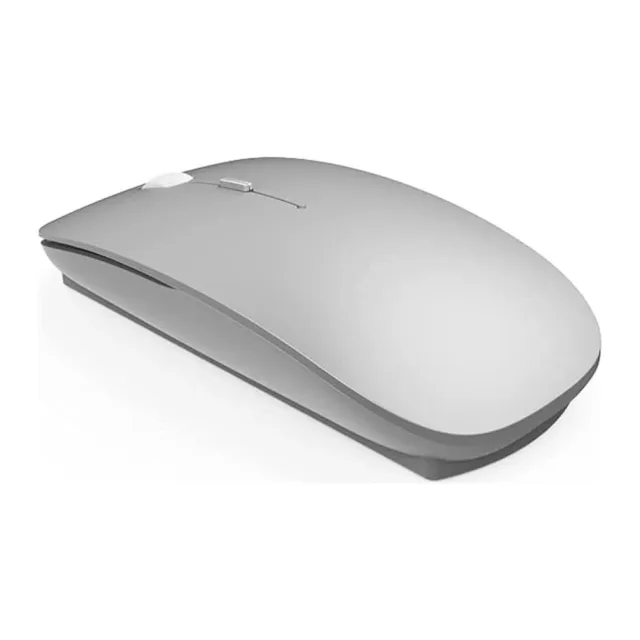
WiWU WiMice Lite WM101-C 2.4G Wireless Mouse – Silent Click, 1600 DPI
Klarna.Or 3 payments of €10.00 with Klarna.
humm
- Free 15-day returnsUnopened, sealed items only
- Fast deliveryOr collect in store
Why you’ll love it.
Bought with confidence.
Bray, Ballina and Sligo. Collect, get help setting up, or bring it in for a repair.
Return it unopened, in its original sealed packaging, within 15 days for a full refund.
Free on orders over €100.00. 1-2 working days. Or click & collect for free.
WiWU WiMice Lite WM101-C 2.4G Wireless Mouse – Silent Click, 1600 DPI
If you've ever winced at how loud a mouse click sounds in a quiet office or a library, the WiWU WiMice Lite WM101-C was built with exactly that in mind. Its silent buttons let you click away without the sharp, clicky noise most mice make—genuinely useful in shared workspaces, late-night study sessions, or just not wanting to disturb whoever's in the next room.
It connects over a stable 2.4 GHz signal via a small Nano USB receiver, holding a reliable connection up to 20 meters away—more than enough range for a desk setup or presenting from across a room. There's no software or drivers to install either; plug the receiver in and it just works straight away on both Windows and macOS.
The optical sensor gives you three DPI settings — 800, 1200, and 1600 — so you can switch between slower, more precise movement for detailed work and faster cursor speed for general browsing, all with a quick tap of a button rather than digging through settings menus. Combined with the ergonomic palm-fit shape, it's built to sit comfortably in your hand through a full day of use, not just short bursts.
At around 60g and genuinely compact, it's an easy mouse to slip into a laptop bag for travel, and because it's rechargeable via USB-C rather than running on disposable batteries, you're not left hunting for AAAs when it finally runs low—just plug it in and keep going.
Whether it's for the office, studying, working from home, or travelling with a laptop, the WiMice Lite WM101-C covers the everyday essentials properly, without unnecessary extras or a learning curve.
Key Features
Specifications
Frequently Asked Questions
Delivery & collectionDelivery or collect in store
- An Post tracked — 1-2 working days. €4.99, free over €100.00
- DPD next day — Next working day if ordered before 1pm. €12.99
- Click and collect — free from Bray, Ballina, Sligo.
Prices include VAT.
15-day returnsUnopened items
Changed your mind? You can return it within 15 days for a full refund as long as it is unopened, in its original sealed packaging. Premium-grade phones and accessories can’t be returned once opened (this doesn’t affect your warranty or your rights if it’s faulty).
The details.
- Spec Detail Brand
- WiWU
- Model
- WiMice Lite WM101-C
- Type
- 2.4 GHz wireless mouse
- Connectivity
- Nano USB receiver
- DPI
- 800 / 1200 / 1600
- Buttons
- 4
- Battery
- 300 mAh rechargeable
- Charging Port
- USB-C
- Wireless Range
- Up to 20m
- Dimensions
- 114, 57.5, 24mm
- Weight
- Approx. 60g
- Material
- ABS
- Compatibility
- Windows XP/7/8/10/11, macOS
- Available Colors
- Black, Silver
- Condition
- New
Great service.got me back on track again. Thank you. Highly recommended
Great service. Were happy to diagnose an issue with my brand new S26 with no obligation. Eventually got it fixed, quick and efficient. Would definitely use again
Great service Very Pleased with everything Highly Recommended
What each condition means
Every phone is fully tested and unlocked. Only the look is different.
Like new, open box. Brand-new in every way except the price.
- Never used: opened, then kept untouched
- Flawless finish: not a single scratch, mark or blemish
- 100% battery health: full power, just like new
- 100% original: every part and every feature works perfectly
- 18-month warranty: complete peace of mind
The new-phone experience, for less.
Returnable within 15 days only if unopened.Beautifully kept. Hard to tell from new.
- Screen: flawless when switched on, with no scratches you'll notice in normal use
- Body: at most a few tiny marks, only visible up close under bright light
- Battery: 85%+ health, all-day power
- 100% original: every part and every feature works perfectly
- Unlocked and fully tested: works on any Irish network
- 18-month warranty: 6 months longer than most
The smart choice: near-new looks for much less.
Honest signs of use, same flawless performance.
- Screen: clear and bright, with light marks you may notice when the screen is off
- Body: visible scratches or scuffs from everyday use, nothing that affects how it works
- Battery: 85%+ health, all-day power
- 100% original: every part and every feature works perfectly
- Unlocked and fully tested: works on any Irish network
- 18-month warranty: the same cover as our top grades
Our best value: maximum phone for your money.
Brand new and unused, in original packaging.