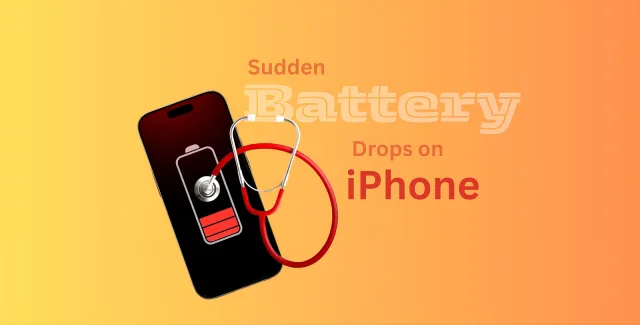
Your iPhone is built to be powerful, fast, and reliable—although none of those things matter if the battery isn’t up to the task. If you notice your phone dying quickly or dropping from a charge of 40% to just 10%, or if you notice it acting sluggish when you’re using it normally, you may already know that the health of your battery isn’t what it used to be.
At Fone4U.ie, we assist iPhone users in learning about their iPhone battery condition even before it becomes a serious problem, particularly since the introduction of iOS 26, which requires even more power than ever.
The Hidden Cost of Ignoring Battery Health
In fact, many people using an iPhone think problems with batteries are issues that develop in the span of one overnight period. Yet, this is not true
In lithium-ion batteries, as time progresses, the chemicals in the battery gradually weaken its ability to retain a charge. Its failures include:
- The battery percentage is spilling unpredictably
- The mobile phone turns off when charged
- Performance throttling when running resource-intensive applications
- Long Charging Times and Heat Generation
If you fail to take note of such signs, it will decrease your cellular phone’s life span and value.
What Apple Doesn’t Tell You About Battery Capacity
According to Apple, the capacity level at which a given iPhone battery is considered “normal” is when it falls to less than 80%. But problems with the handset could arise much earlier, especially among those who use their phones for:
- Navigation applications
- Video Calls
- Gaming or content creation
- Mobile payments everyday
This is the reason why an expert battery analysis is always more informative than data shown on the screen.
How to Check iPhone Battery Health Yourself (Quick Guide)
Before visiting us, you can do a basic check:
- Open Settings
- Tap Battery
- Select Battery Health & Charging
Look for:
- Maximum Capacity (%)
- Peak Performance Capability
- Any warnings, such as “Service Recommended.”
If your battery is below 80% or showing warnings, it’s time for expert evaluation.
When a Professional Battery Health Check Is the Smart Choice
You should think about having a professional check if:
Your battery is being unusually drained
Your iPhone restarts with a 20–30% charge left.
You are going to upgrade or trade in your phone.
You’re installing or updating to iOS 26
You want to avoid emergency shutdowns.
What Fone4U’s Battery Health Test Reveals
Unlike basic settings checks, our diagnostic process examines deeper performance indicators, including
You receive a clear explanation, not technical jargon—so you can decide what’s best for your device.
Same-Day iPhone Battery Replacement in Dublin
If replacement is advised, Fone4U.ie provides:
- Same-day battery replacement
- OEM-quality premium batteries
- Highly trained technicians
- There will be no loss of data in the replacement
- Cost-effective alternative to buying a new phone
A replacement battery will frequently restore performance to almost new condition at a fraction of the cost.
Thinking of Upgrading Instead? Here’s the 2026 advantage.
If your iPhone is near the end of its lifecycle, it may be wiser to upgrade.
Exclusive 2026 Deal at Fone4U
- Every phone sold in 2026 has an 18-MONTH WARRANTY
- Applies to new & certified pre-owned phones
- Covers peace of mind beyond standard warranties
- Limited to 2026 only—must be availed before the offer ends
- Our team will help you decide on either replacing the battery or upgrading, which gives better long-term value
Why Dublin Customers Choose Fone4U.ie
We pride ourselves on doing work that benefits you, not a load of unnecessary repairs.
Get Your iPhone Ready for iOS 26—Without Battery Anxiety
A poor battery can spoil your experience with an iPhone. Need a health check done quickly or a same-day battery replacement service done on the day you want it done? Whatever the requirement is, Fone4U.ie is there for all kinds of assistance.
Frequently Asked Questions
Does iOS 26 have a greater impact on the battery life of an iPhone compared to older versions?
Yes. iOS 26 introduces enhanced background processes, AI-related enhancements, and higher system performance requirements. Most older iPhone models have low battery life; the new iOS upgrade may lead to faster battery drain, slowness, or even random restarts, making a battery health check a strongly recommended process before the upgrade.
What type of side effects show when battery health is weak?
Over time, yes. A dying battery can cause voltage issues, which can impact the logic board, charging port, and overall functionality. It is easier and less costly to fix battery problems early on.
Is it safe to continue using my iPhone if the battery health is below 80%?
In this case, a charge level below 80% causes performance throttling, sudden shutdowns, and reliability problems, especially when making calls, using the navigation system, or making mobile payments. However, it is generally safe to use.
How frequently should the battery health of an iPhone be checked?
For best performance, it is advised to check the battery health of the iPhone every year or if there is any unusual usage, such as rapid draining, overheating, or sudden restarts.
Can a fast charger damage the battery?
Yes. Using low-quality chargers can lead to the battery deteriorating quickly and can also cause the battery to heat up. It is advised to use high-quality chargers, such as Apple-approved chargers, to extend the life of the battery.
Does replacing the battery improve the performance of the iPhone?
In most cases, yes. When a degraded battery is replaced, iOS no longer constrains performance in an attempt to prevent shutdowns.
Can I trade in my iPhone even if the battery is weak or failing?
Absolutely. Fone4U accepts iPhones with battery issues. However, if you replace the battery before trading it in, you might get a higher trade-in value. Our team will assist you in determining which option is best for you.
What happens to my data during a battery replacement?
Your data remains completely safe. Battery replacement does not erase any data. Still, we recommend backing up your iPhone as a general precaution.
Is there a warranty on iPhone battery replacements?
Yes. All battery replacements are guaranteed at Fone4U.ie. This means that you can be assured of performance and quality.
Should I repair my iPhone or purchase a new one in 2026?
The most suitable course of action depends on the age of your iPhone. If your iPhone is relatively new, the best value for money would be to change the battery. But if your iPhone is an older model, an upgrade might be the best course of action, considering the 18-month warranty that Fone4U provides for the purchase of phones in 2026.
What is covered under the 18-month warranty for phones bought in 2026?
The 18-month warranty covers defects in manufacturing and hardware issues for new and certified pre-owned smartphones. This is an exclusive offer that is only valid for purchases made in 2026.
Do I need an appointment for a battery health check or repair?
No appointment is needed. Fone4U.ie operates a walk-in service at our Dublin store, providing quick diagnosis and same-day repair whenever possible.
Final Conversion Nudge
If your iPhone battery is no longer functioning as it should, don’t wait until it dies. Check, fix, or upgrade smarter in 2026—only at Fone4U